HD and standard quality
Choose from the listed resolutions. Some videos have only one quality available.
 Toolsat Once.

Download public Facebook videos and Reels. Paste a link to get started.
Paste a video link to get started.
Connecting to the video…
Preview unavailable. Try downloading the video.
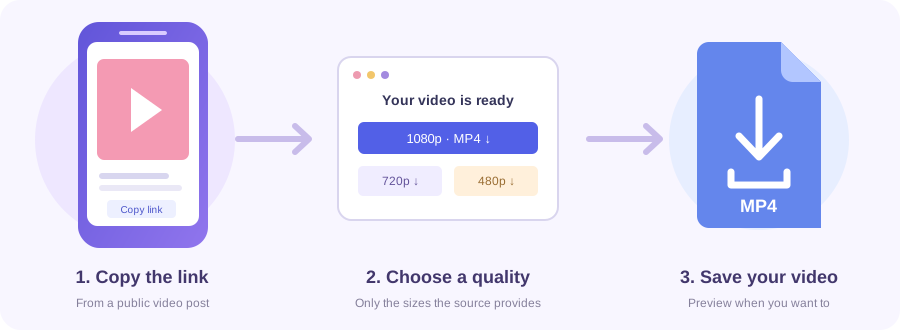
Open the public video on Facebook and copy its share link.
Paste the link above and choose Get download links.
Choose Download MP4 beside a quality, or Download video for a prepared file. Supported iPhones also offer Save to Photos.
Paste a public Facebook video, Reel or Watch link. Choose an available quality and download the MP4.
Copy the video’s own link, rather than a page or group address.
Swipe or scroll sideways to see every column →
| Type | What to copy |
|---|---|
| Video post | The individual /videos/ address, not a page or group home URL. |
| Reel | The Reel's own /reel/ address. |
| Watch | A /watch/?v=... address identifying one video. |
| Share link | A supported /share/v/ or /share/r/ video link. |
| Short link | An fb.watch link that resolves to an accessible Facebook video. |
Choose from the listed resolutions. Some videos have only one quality available.
Preview the clip to check it, or go straight to Download MP4.
Existing watermarks and captions remain. Tools at Once adds no watermark.
On iPhone, tap Save to Photos and choose Save Video if offered. For videos over 25 MB, use Download to Files. On Android or a computer, choose Download MP4 and check Downloads.
Yes. Paste the individual public video, Reel, Watch, share or fb.watch link.
Some videos have only one quality available. HD appears only when available.
No. Private and restricted videos are not supported.
Some videos take longer to prepare. Wait for the download button to appear, then save the file.
Check Downloads or your file manager. On iPhone, use Save to Photos or find file downloads in Files > Downloads.
No. Existing watermarks and captions remain. Tools at Once adds no watermark.
On supported iPhones, tap Save to Photos and choose Save Video if offered. For videos over 25 MB or unavailable sharing, use Download to Files. If prompted, tap Save to Photos again.